Ant Text Classic Templates - Shortcut Keys

Learn how to write emails faster and easier by loading your email templates with a shortcut.

Add a shortcut key to a template

If you create shortcut keys for your Ant Text templates, you will be able to write your emails even faster.  

Rename the filenames of your documents in this way:  
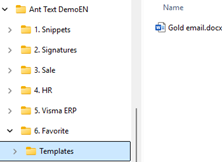
  1. Find the template file
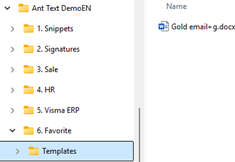
    Open the get started demo toolbar and locate Gold email.docx
  2. Give it a shortcut letter
    Rename it to Gold email+g.docx – the +g is the letter you will click later
    Before:   After:


  3. Restart Outlook
    Close Outlook and open it again so the change is picked up
  4. Start a new email
    Click New email or CTRL+N
  5. Open the Ant Text search
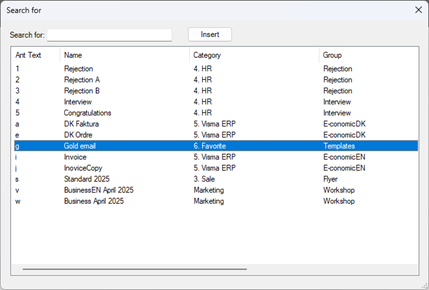
    Use the shortcut key Alt+AS (Search window will appear)
  6. Insert the template with one key
    In the list you will see the g next to Gold email 
    Hit g and Enter, and the content of “Gold email+g.docx” appears into your email. 

Your Gold email template now loads instantly with the g shortcut, making your email writing faster and easier. 

Next up: see how to attach files automatically in the guide Attached files 🔗